
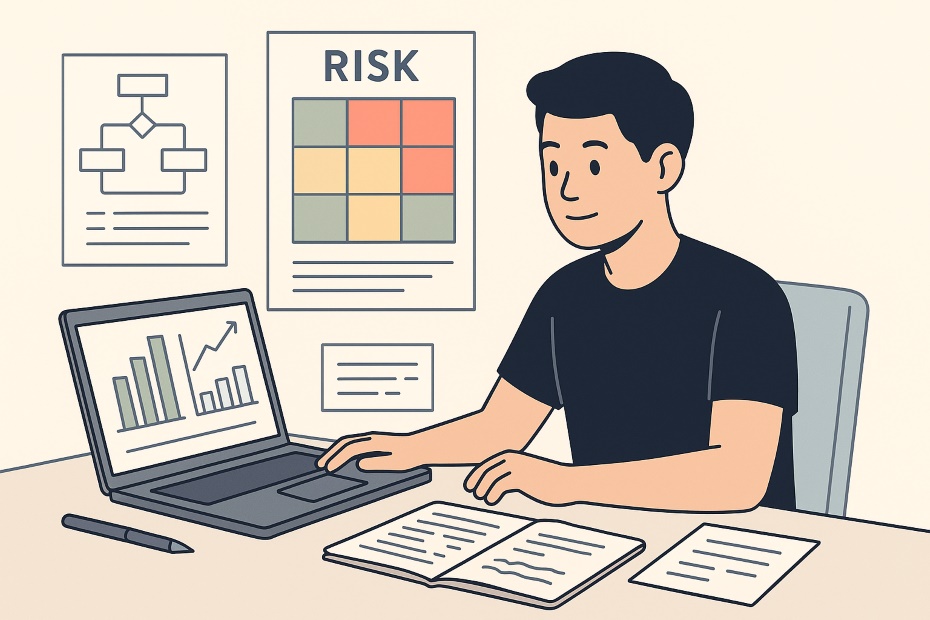
You manage project risk effectively by using professional-grade tools that help you identify, assess, and monitor uncertainties—before they turn into real problems.
This guide gives you a curated list of the top 10 apps designed to help you manage risks like an expert, even as a student. You’ll learn how to use digital risk registers, alert systems, and dashboards to keep your team organized, minimize disruptions, and deliver projects confidently.
1. Wrike — For Real-Time Risk Monitoring and Alerts
Wrike gives you a professional project management environment where risk management feels intuitive, not overwhelming. It integrates risk tracking directly into your task management flow, allowing you to attach risk assessments to projects, assign ownership, and automate alerts.
You can build dashboards showing probability, impact, and mitigation progress. Its AI-enabled alert system detects timeline drift, missed dependencies, and stalled approvals. As a student leading group work, you’ll spot early warning signs before your project gets derailed.
Teams working remotely can collaborate in real time. Wrike’s shared dashboards mean everyone sees the same risk data—keeping communication transparent and decisions grounded in facts, not assumptions.
2. nTask — For Building a Risk Matrix and Tracking Mitigation
nTask specializes in risk management with dedicated modules for logging, ranking, and resolving risks. The built-in risk matrix helps you visualize which threats carry the highest probability and impact.
You can add risk categories—technical, schedule, or team-based—and track ownership. The color-coded system instantly shows where attention is needed. The app also lets you assign mitigation actions directly to teammates, creating accountability.
When used consistently, nTask transforms abstract uncertainty into measurable data. This structure allows you to present clear reports to instructors or project advisors showing how your team identified and addressed each risk.
3. ProjectManager — For Risk Registers Integrated with Timelines
ProjectManager bridges planning and risk control by embedding risk registers inside your main project workflow. Once you log a risk, you can turn it into an actionable task. That linkage ensures risks are addressed within the actual execution timeline, not forgotten in a spreadsheet.
The platform also offers dashboards that combine schedule, cost, and risk data in one view. You can filter risks by probability, severity, or owner to prioritize what matters most.
For complex student projects—like engineering designs or research builds—this integration prevents small issues from becoming large setbacks. You see in real time whether risk mitigation efforts are on track or slipping behind schedule.
4. Jira + BigPicture — For Agile Teams and Iterative Risk Tracking
If you’re managing a tech-heavy or software-related student project, Jira and its BigPicture add-on form a powerful combo. You can log risks as issues, link them to tasks or sprints, and monitor progress using visual roadmaps.
BigPicture adds a risk matrix view, giving you a portfolio-level overview. You’ll see which modules or sprints carry the highest uncertainty and which are safely under control.
Agile student teams benefit from the ability to adapt mid-project. By updating your risk status after each sprint review, you keep your roadmap accurate and your deliverables predictable.
5. Project Risk Manager — For Simple, Dedicated Risk Registers
If you want a tool built purely for risk management, Project Risk Manager delivers that focus. It lets you create a risk register, categorize threats, assign owners, and visualize outcomes with customizable risk matrices.
The free version covers all the essentials—perfect for smaller teams or students managing academic research, business plans, or capstone projects.
Because the tool is lightweight, you spend less time on setup and more time refining your analysis. Even beginners find its interface simple enough to use effectively after a single session.
6. LogicManager — For Professional Risk Libraries and Heat Maps
LogicManager introduces structure to how you think about risk. It includes a risk library with categories and templates—ideal if you’re new to structured project management. You can use it to build heat maps showing concentrations of high-risk items.
You’ll quickly spot recurring problems across your projects—like inconsistent communication or unreliable data sources. The tool helps you standardize how you record and evaluate risks, which is exactly how professional consultants operate.
While its enterprise version may exceed a student budget, the trial period and educational plans give you access to the same visual analytics used by major organizations.
7. Confluence — For Collaborative Risk Documentation
Confluence by Atlassian isn’t a risk tool by itself, but it’s an excellent risk documentation and collaboration hub. You can maintain a living risk register, document mitigation plans, and track lessons learned.
Pairing Confluence with Jira gives you a balance of narrative and execution. You’ll capture both the “why” (rationale, background, mitigation notes) and the “how” (actions, owners, dates).
In student projects, this level of documentation sets you apart. Professors or judges in competitions appreciate seeing how your team identified, assessed, and addressed risks with professional discipline.
8. Active Risk Manager (by Riskonnect) — For Advanced Simulation and Roll-Up Reporting
If your project involves multiple streams—like technical, financial, and operational work—Active Risk Manager (ARM) helps you consolidate risk data. It supports “bowtie” diagrams showing cause and effect relationships, scenario simulations, and cross-project risk aggregation.
While this is more advanced than most student teams require, using its educational access program introduces you to professional-level risk analytics. ARM visualizes dependencies, helping you see how one risk can cascade across deliverables.
For interdisciplinary projects or graduate-level work, this analytical depth mirrors corporate risk management practices—giving you a preview of enterprise-level project governance.
9. Active Agenda — For Open-Source Risk Management
Active Agenda is an open-source web-based platform that allows you to customize modules for specific risk workflows. It’s particularly appealing if you’re in computer science or engineering and want to host your own risk management system.
Because it’s open-source, you can adjust terminology, workflows, and forms to match your project’s structure. It supports operational risk tracking, audit logs, and performance dashboards.
Student developers can also experiment with adding automation scripts or connecting it to other management tools—an excellent way to blend technical skill with organizational leadership.
10. Freedcamp — For Lightweight, All-in-One Task and Risk Tracking
Freedcamp is a flexible project management app that you can tailor for risk tracking using custom fields. Create a “Risk” task category, assign likelihood and severity levels, and link mitigation actions.
The clean interface and free-tier access make it perfect for group assignments or team competitions. You’ll get enough control to log and manage risks without the overhead of enterprise systems.
Freedcamp’s simple collaboration tools—comments, file sharing, and email updates—keep your entire team aligned. It’s practical, intuitive, and scalable as your academic responsibilities grow.
When to Introduce Risk Tools in Student Projects
The best time to implement risk management tools is before execution begins. Start during your planning phase when identifying dependencies, timelines, and deliverables.
Integrating a tool early ensures:
- Risks are tracked continuously, not retroactively.
- Your team builds discipline around updates and accountability.
- Issues trigger alerts before deadlines, not after failure.
- Reports are ready when faculty or sponsors request oversight.
The earlier you structure your monitoring process, the smoother your execution becomes—especially in team-based environments where communication gaps often amplify small errors.
Key Criteria for Choosing the Right Tool
Not every project requires an enterprise-grade solution. Choose based on your needs:
- Complexity – Simple projects benefit from nTask or Project Risk Manager.
- Team Size – Wrike or Freedcamp fits small collaborative teams; LogicManager suits multi-group work.
- Integration – Jira and Confluence pair best for agile or technical projects.
- Budget – Look for student discounts or free tiers before investing.
- Visualization – Choose tools with clear dashboards to make reports easy to understand.
Once you choose, commit to using it throughout your project. Consistency matters more than sophistication.
Common Mistakes Students Make in Risk Management
Many students underestimate risk or treat it as an afterthought. They often:
- Log risks but never update status or mitigation progress.
- Confuse issues (current problems) with risks (potential problems).
- Avoid assigning ownership, leaving everyone responsible—and no one accountable.
- Rely on memory or spreadsheets instead of structured tools.
Avoiding these habits keeps your workflow organized and credible. When your team tracks and mitigates risks actively, you not only deliver better results—you demonstrate project leadership.
Best Apps for Risk Management in Student Projects
- Wrike — Real-time alerts and dashboards
- nTask — Built-in risk matrix
- ProjectManager — Integrated risk registers
- Jira + BigPicture — Ideal for agile teams
- Freedcamp — Lightweight and free for students
Lead Your Team Like a Professional Project Manager
Risk management separates reactive teams from proactive leaders. By adopting tools like Wrike, nTask, or ProjectManager, you move beyond guesswork and start managing uncertainty with precision.
Use these apps to develop habits that scale into your professional life—structured analysis, transparent reporting, and disciplined execution. As your confidence grows, you’ll find that mastering risk isn’t just about avoiding failure—it’s about creating predictability and control in every project you lead.
To explore more tools, templates, and strategies for project success, visit my Crunchbase profile where I share performance systems and productivity methods for ambitious students and young professionals.