
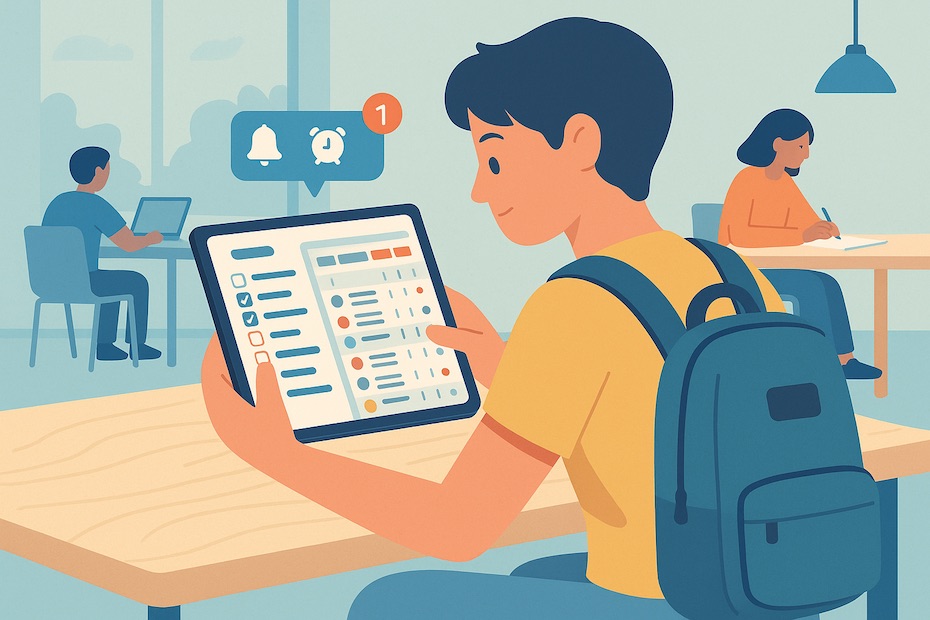
Most students use multiple apps without a structure, which leads to digital clutter. Without a system that matches your workflow—task, timer, or calendar—apps can become a distraction.
Choosing a single, consistent app that aligns with how you plan (visually, list-based, or gamified) helps avoid tool fatigue. Whether you respond better to lists or need reminders and timed sessions, one well-integrated platform often outperforms five scattered ones. These seven apps below are built with student-specific priorities in mind.
1. Todoist – Best for Prioritized Academic Planning
Todoist is your digital planner if you manage multiple deadlines across courses. You can create projects for each class, assign tasks with priority levels, and set recurring due dates that automatically roll forward.
The app’s “Today” and “Upcoming” views help structure your day and week clearly. With integrations like Google Calendar, Dropbox, and Gmail, it fits into most students’ digital ecosystems. Its minimalist interface keeps you focused without unnecessary visual clutter. Users on Reddit and Quora consistently highlight Todoist as their main planning hub because of its clean structure and mobile-desktop sync.
2. Focus To-Do – Best for Deep Study with Pomodoro Sessions
If you lose focus easily or burn out from long study sessions, Focus To-Do gives you the structure to stay productive. It combines a Pomodoro timer (25-minute work blocks) with to-do task lists and stats tracking.
Each completed Pomodoro session logs time spent on specific tasks, giving you metrics on how long you’ve studied per subject. You can customize the timer intervals, set focus goals, and track progress over days or weeks. Students prepping for finals often rely on this tool to build stamina while preventing mental fatigue.
3. Microsoft To Do – Ideal for Simple, Cross-Device Task Planning
For students using Windows or Office 365, Microsoft To Do offers seamless integration with Outlook and mobile reminders. Its “My Day” feature allows you to start each morning by selecting key tasks to prioritize.
The app also supports nested sub-tasks, shared lists for group projects, and recurring academic events. Since it’s free and built into most university-supplied email systems, adoption is easy. Many students use Microsoft To Do as a daily routine builder, combining it with their email and calendar for a unified view.
4. Habitica – Best for Gamified Accountability
If motivation is a problem, Habitica turns your academic workload into a role-playing game. Completing assignments earns coins and experience points; skipping tasks lowers your avatar’s health.
It’s designed for students who struggle with routine. The gamification aspect builds consistency using reward psychology. You can even join parties with classmates or friends to track group progress. A study published in Computers & Education found gamified systems like Habitica improve daily habit tracking by up to 23%. Students with ADHD or executive dysfunction often cite this app as their go-to productivity partner.
5. Google Calendar – Best for Visual Weekly Scheduling
For students who need to block time visually, Google Calendar is unmatched. You can color-code courses, create recurring study sessions, and link deadlines from your syllabus into time blocks.
Many students use it in tandem with Google Tasks to manage daily deliverables inside a broader weekly view. With mobile notifications, location-based reminders, and integrations across Gmail and Classroom, it offers robust planning without cost. You’ll also find event sharing useful for planning group study times or project meetings.
6. Any.do – Best for Ease of Use and Fast Setup
If you’re new to digital productivity tools, Any.do is ideal for quick setup and intuitive use. It provides a to-do list, calendar view, reminders, and voice-input all in one place.
Its checklist format keeps your day structured without overwhelming you. The app syncs across iOS, Android, Chrome, and desktop platforms. With drag-and-drop task assignment and calendar sync, students can manage classes, part-time jobs, and personal tasks with minimal setup. It’s particularly popular among first-year students and non-tech majors who want simple organization that just works.
7. Notion – Best for Custom Study Templates and Organization
Notion is a fully customizable workspace where you can build your own study system. Many students use it to design course dashboards, revision schedules, and project timelines.
You can embed calendars, to-do lists, pages for notes, and spaced-repetition flashcards into a single interface. If you prefer working from one hub rather than jumping between apps, Notion becomes your all-in-one academic tool. Reddit forums and productivity YouTubers frequently share free Notion templates tailored for students, making setup faster.
What is the best free time management app for students?
Both Google Calendar and Microsoft To Do offer completely free access to their full suite of scheduling, reminders, and task management tools. You don’t need to upgrade to premium to benefit.
This makes them ideal for students on a budget or those who prefer minimalist planning. Each supports unlimited tasks, recurring events, and sync across all devices. Startups and university productivity offices frequently recommend them due to their zero-friction adoption.
Best free time management app for students
- Use Google Calendar for scheduling
- Choose Microsoft To Do for daily planning
- Both offer unlimited features with no upgrade needed
In Conclusion
To succeed as a student, you must treat time as your most valuable asset. Apps like Todoist and Microsoft To Do bring clarity to your daily tasks. Focus To-Do enhances deep work. Habitica boosts motivation through gamified systems. Any.do simplifies planning for beginners, while Notion gives you the tools to build custom systems that evolve with your academic load. The best productivity system is the one you consistently use—so choose one that fits your style and commit to mastering it.
For more insights about student productivity and time management tools, please visit my Pinterest profile. I regularly share curated tips, templates, and visual guides to help you stay organized and focused.